How the Case You Choose Affects Your MagSafe Accessories
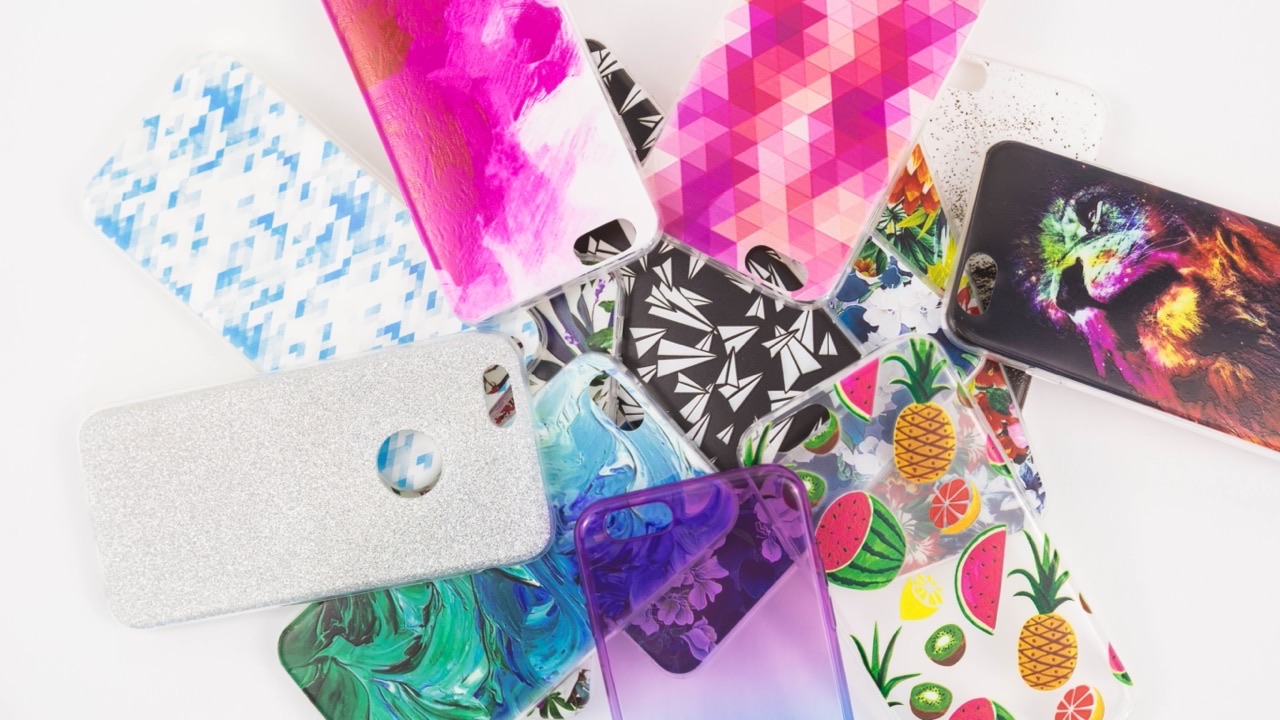
Most people pick a phone case based on how it looks or how well it protects against drops. Those are reasonable priorities. But if you’re using MagSafe accessories — a wireless charger, a magnetic wallet, a car mount — the case you choose has a real effect on how well all of those things work. I didn’t think much about this when I first switched to an iPhone with MagSafe, and I spent a few frustrating weeks wondering why my car mount kept dropping my phone and why my wireless charger seemed slower than it should be.
The issue wasn’t the accessories. It was the case.
How MagSafe works and why the case is part of the system
MagSafe relies on a ring of magnets embedded in the iPhone, aligned to a specific pattern that lets accessories attach with enough force to hold position reliably. A MagSafe charger or mount needs to line up with that magnetic ring to work correctly. When the alignment is off — because the case shifts the phone, adds too much material between the magnets, or has its own magnets in the wrong position — you get weaker attachment, slower charging, or both.
The iPhone’s MagSafe ring sits flush with the back of the phone. Any case adds material between the phone and the accessory. A thin case with its own built-in magnet array (designed to work with MagSafe) routes the magnetic field through itself cleanly. A thick case without any MagSafe consideration just adds distance and attenuation.
Thickness matters more than material
The first thing to understand is that case thickness affects charging speed. MagSafe charges at up to 15W when there’s a clean connection, but that number drops off as the distance between charger and phone increases. A silicone or leather case that’s 1–2mm thick won’t cause many problems. A rugged protective case that’s 4–5mm thick — the kind with reinforced corners and raised edges — will reduce charging speed noticeably. I’ve seen cases where a thick case drops MagSafe charging to Qi speeds (around 7.5W) even though the charger is technically MagSafe-certified.
For people who primarily use a wired charger overnight and only use MagSafe as a top-up during the day, this probably doesn’t matter much. For people who rely on a MagSafe pad at their desk as the main charging method, it’s worth testing your specific case before committing to it.
The magnet alignment problem
Some cases include their own magnetic elements — either to provide a firmer snap when accessories attach, or for their own built-in features like kickstands or folding covers. The problem is that third-party case magnets aren’t always positioned to align with the iPhone’s own magnet ring. When they’re off-center, the combined magnetic field is distorted, and accessories don’t center correctly on the phone.
The symptom is a MagSafe charger or mount that attaches but sits slightly tilted, or a wallet that doesn’t click into place as firmly as it should. The fix is using a case that either has no magnets of its own, or one that’s specifically designed with MagSafe-aligned magnets — tested against the iPhone’s own ring pattern rather than just “magnetic” in a general sense.
Cases that are MagSafe-compatible vs. cases that say they are
There’s no universal certification for third-party cases claiming MagSafe compatibility. Apple licenses the MagSafe accessory system, but case manufacturers can and do use the term loosely. A case that says “MagSafe compatible” might mean it has a ring of magnets somewhere inside it, without that ring being precisely aligned to Apple’s spec.
The most reliable indicator isn’t the compatibility claim on the box — it’s whether the case was designed with the magnet array mapped to the iPhone’s specific layout. Cases from manufacturers who publish their magnet positioning or who have tested against the full range of magsafe accessories you’re likely to use are more dependable than ones where the only information is a marketing label.
What I’ve found actually works
The cases I’ve had the best experience with for MagSafe compatibility have a few things in common: they’re not excessively thick, they include an embedded magnet ring rather than relying on the phone’s magnets alone, and they’re slim enough at the back that a MagSafe charger can sit flat against them without any gap.
Silicone cases in the 1.5–2mm range have been consistently reliable. Clear hard cases are hit or miss — the ones with embedded magnets work, the ones without don’t always align cleanly. Wallet-style cases with a folding front cover typically block MagSafe charging entirely when closed, which makes them incompatible with pad chargers unless you flip the cover back every time.
The drop protection tradeoff
The most protective cases — the ones with rubber bumpers, reinforced corners, and multi-layer construction — are generally the worst for MagSafe. The added thickness and the materials used in rugged cases aren’t designed around magnetic transmission. If drop protection is your top priority, MagSafe charging may just be slower, and magnetic mounts may hold less firmly.
That’s a real tradeoff, not a fixable design problem. The physics of MagSafe require proximity between the charger and the phone’s magnet ring. More case material means more distance. Some people run a protective case and accept slower MagSafe charging; others run a thinner case and protect the phone less. Neither choice is wrong — it just depends on what you prioritize.
A simple test before you commit
If you’re unsure whether a case will work well with your specific MagSafe accessories, put the case on and test the magnet snap with your charger or mount before buying a second one. A well-aligned MagSafe connection produces a distinct click and the accessory sits flush and centered. A misaligned one attaches but feels slightly loose or off-center. The tactile difference is usually obvious within thirty seconds of testing.
Choosing a case thoughtfully, with MagSafe in mind from the start, is easier than finding out through a few weeks of slightly degraded performance that your accessories and your case aren’t really working together.